Six hundred SKUs, one hero shot each, and a launch calendar that needs every one of them cropped for a website banner, a marketplace listing, and a 9:16 story ad. A photographer can't reshoot each product three times, and a retoucher can't manually clone backgrounds fast enough to hit the date. This is the workflow to automate it instead.
Try the API →
Step 1. Start with one clean base photo
Every step in this pipeline edits pixels that already exist, so the base shot still needs to be in focus, evenly lit, and shot at a reasonable resolution. AI editing corrects background, framing, and small artifacts; it doesn't rescue a blurry or badly exposed photo. One solid hero shot per SKU, whether from an in-house shoot or a seller-submitted photo, is what everything downstream builds from.
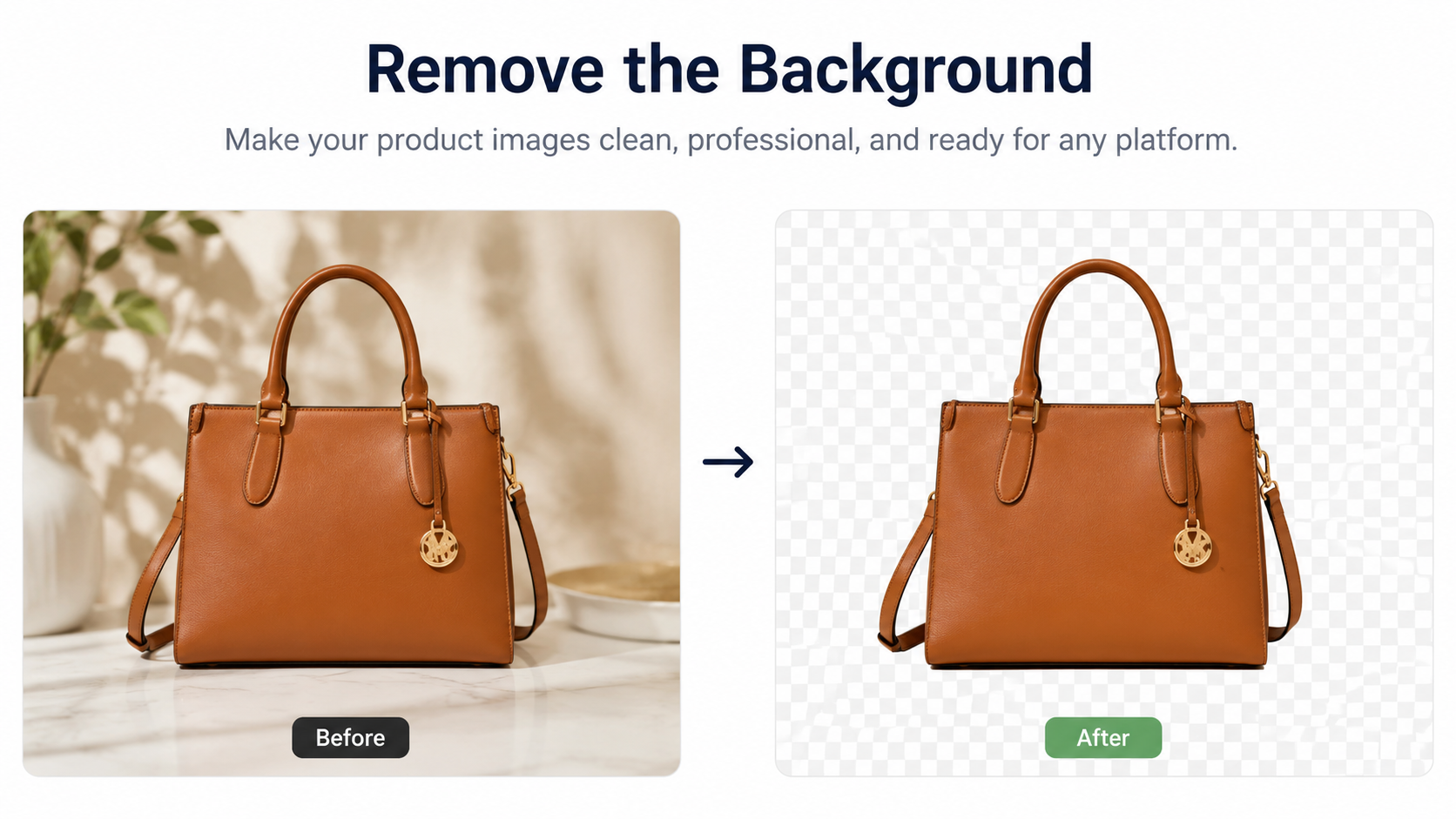
Step 2. Remove the background
Run the photo through DreamAPI's Remove Background endpoint, priced at 2 credits per image, to cut the product cleanly away from its original backdrop. This gives you a transparent or white-background cutout you can drop onto any catalog, marketplace, or ad template without a manual mask.
Tip: batch this step across an entire catalog import in one pass, since every downstream format starts from the same clean cutout.
Step 3. Extend the canvas for every ad format
One square product shot rarely fits every placement. Outpainting, also 2 credits per image, extends the background beyond the original frame, generating new content that continues the scene's lighting and perspective outward. Use it to turn one approved hero shot into a wide banner, a tall story crop, and a landscape thumbnail without reshooting the product from a different angle.
Tip: moderate extensions hold up better than doubling the canvas in one pass; if you need a dramatically different aspect ratio, outpaint in two smaller steps rather than one large jump.
Step 4. Clean up stray artifacts
Even a well-shot product photo can carry a stray reflection, a visible price tag, or a seam from the outpainting step. Inpainting, 2 credits per image, masks the specific area and regenerates it to match the surrounding pixels, removing the artifact without redoing the whole shot.
Tip: a tight, deliberate mask around just the artifact produces a cleaner result than a loose mask that regenerates more of the image than necessary.
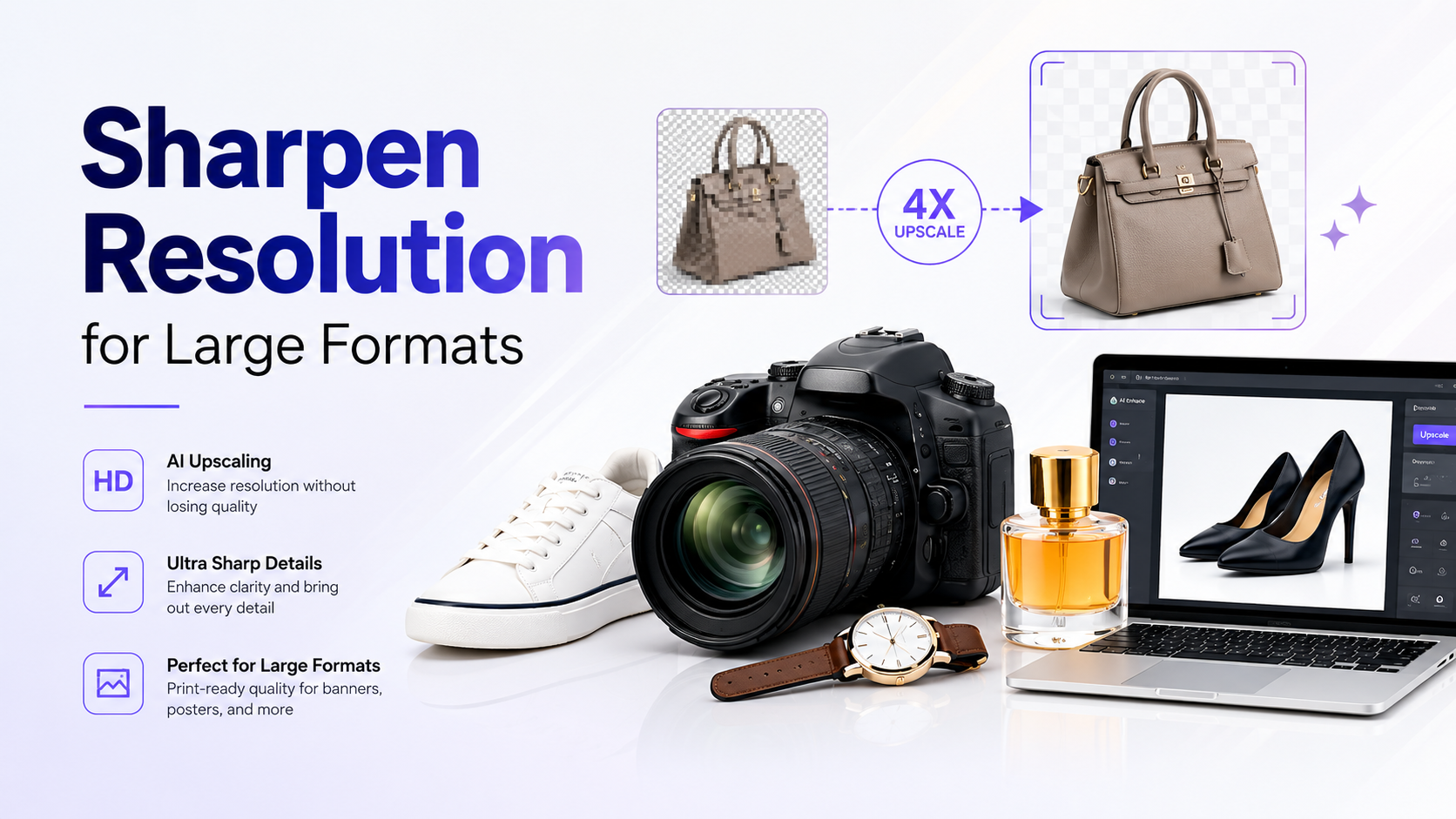
Step 5. Sharpen resolution for large formats
A shot that looks sharp at thumbnail size can look soft blown up to a billboard or a zoomed product-detail view. Run the final composited image through Enhance, 2 credits per image, to upscale resolution and recover sharpness before it goes into a large-format placement.
Tip: enhance last, after background removal and outpainting are finalized, so you're not paying to upscale an image you're about to edit again.
What the full pipeline costs
Credit packages run from $60 for 8,000 credits ($0.0075/credit) up to $1,000 for 222,000 credits at 40% off ($0.0045/credit). Most product photos only need one or two of these four steps; a typical run of remove background plus outpainting costs 4 credits per image, about $0.018 to $0.03. Running all four steps, background removal, outpainting, inpainting, and enhance, costs 8 credits per image, about $0.036 to $0.06. Processing 500 images through the full four-step pipeline costs 4,000 credits, roughly $18 to $30, with no subscription required.
Pros and cons
Pro: pay-as-you-go credit pricing scales with catalog size instead of a flat editing-software license.
Pro: the same pipeline runs unattended in a batch job, unlike manual retouching that needs a human per image.
Con: quality still depends on the base photo; AI editing can't fix poor focus or exposure from the original shoot.
Con: aggressive outpainting or inpainting on complex backgrounds can leave visible seams that need a manual review pass before publishing.
Where New Port AI fits
DreamAPI's image-editing endpoints, Remove Background, Outpainting, Inpainting, and Enhance, sit under one credit-based account alongside Colorize and Swap Face, so a product photo pipeline can chain multiple edits in a single integration rather than juggling separate tools per step. Common integration points:
E-commerce teams standardizing seller-submitted photos into a consistent catalog format.
Ad teams generating multiple aspect-ratio variants from one approved hero shot.
Marketplaces batch-processing new listings before they go live.
Start building with New Port AI
Run one real product photo through the four-step pipeline and compare the result and the per-image cost against your current retouching process.
FAQ
Do I need to run all four steps on every product photo?
No. Most photos only need background removal and outpainting for a new aspect ratio, which costs 4 credits per image. Inpainting and enhance are worth adding only when a specific photo has an artifact to remove or needs a resolution boost for a large-format placement.
How much does an AI product photo pipeline cost?
Each of the four DreamAPI steps, Remove Background, Outpainting, Inpainting, and Enhance, prices at 2 credits per image. A typical two-step run costs about $0.018 to $0.03 per image; the full four-step pipeline costs about $0.036 to $0.06 per image, depending on your credit package tier.
Can this replace a product photographer entirely?
No. The pipeline edits an existing photo; it doesn't generate a product shot from nothing. You still need one clean, well-lit base photo per product before any of these steps add value.
What's the difference between outpainting and just cropping?
Cropping removes part of the image to fit a new aspect ratio, which can cut off the product. Outpainting extends the scene beyond the original frame, generating new background content, so the product stays fully in frame across every format.
Can I batch process an entire product catalog?
Yes. All four endpoints are pay-as-you-go REST API calls, so they fit into an automated pipeline that processes hundreds or thousands of images in one run rather than a manual, one-image-at-a-time editor.
Will AI-edited product photos look obviously fake?
A carefully masked edit on a clean base photo is generally difficult to spot, though outpainting quality can degrade the further it extends past the original frame, so moderate extensions hold up better than a dramatic aspect-ratio change in one pass.
Is there a free way to test this pipeline?
DreamAPI is pay-as-you-go with no mandatory subscription, so testing one or two real product photos through the pipeline costs a small fraction of a credit package before committing to a full catalog run.
Do I need to write code to use this?
Yes, DreamAPI's image-editing endpoints are developer-facing REST APIs meant to be integrated into an existing catalog, CMS, or ad-creative pipeline rather than used through a standalone web editor.
How much does an AI product photo pipeline cost?
Each of the four DreamAPI steps, Remove Background, Outpainting, Inpainting, and Enhance, prices at 2 credits per image. A typical two-step run costs about $0.018 to $0.03 per image; the full four-step pipeline costs about $0.036 to $0.06 per image, depending on your credit package tier.
Can this replace a product photographer entirely?
No. The pipeline edits an existing photo; it doesn't generate a product shot from nothing. You still need one clean, well-lit base photo per product before any of these steps add value.
What's the difference between outpainting and just cropping?
Cropping removes part of the image to fit a new aspect ratio, which can cut off the product. Outpainting extends the scene beyond the original frame, generating new background content, so the product stays fully in frame across every format.
Can I batch process an entire product catalog?
Yes. All four endpoints are pay-as-you-go REST API calls, so they fit into an automated pipeline that processes hundreds or thousands of images in one run rather than a manual, one-image-at-a-time editor.
Will AI-edited product photos look obviously fake?
A carefully masked edit on a clean base photo is generally difficult to spot, though outpainting quality can degrade the further it extends past the original frame, so moderate extensions hold up better than a dramatic aspect-ratio change in one pass.
Is there a free way to test this pipeline?
DreamAPI is pay-as-you-go with no mandatory subscription, so testing one or two real product photos through the pipeline costs a small fraction of a credit package before committing to a full catalog run.
Do I need to write code to use this?
Yes, DreamAPI's image-editing endpoints are developer-facing REST APIs meant to be integrated into an existing catalog, CMS, or ad-creative pipeline rather than used through a standalone web editor.